# Reduce AWS Amplify bundle size
> How to optimize AWS Amplify imports and reduce the first-load size in web and mobile applications built using AWS cloud services.
- Canonical URL: https://marcelocarmona.com/reduce-aws-amplify-bundle-size
- Language: English (en-US)
- Published: 2021-04-29
- Tags: React, JavaScript, Typescript, AWS, AWS Amplify, Nextjs
---
AWS (Amazon Web Services) Amplify is an easy-to-use framework for mobile and web applications that use AWS cloud services. However, I recently encountered a bundle size issue after building with Amplify because it added significant weight to the built package. This short article is about how to optimize imports and reduce the first-load size in our applications.
I'm using a Next.js app for this example.
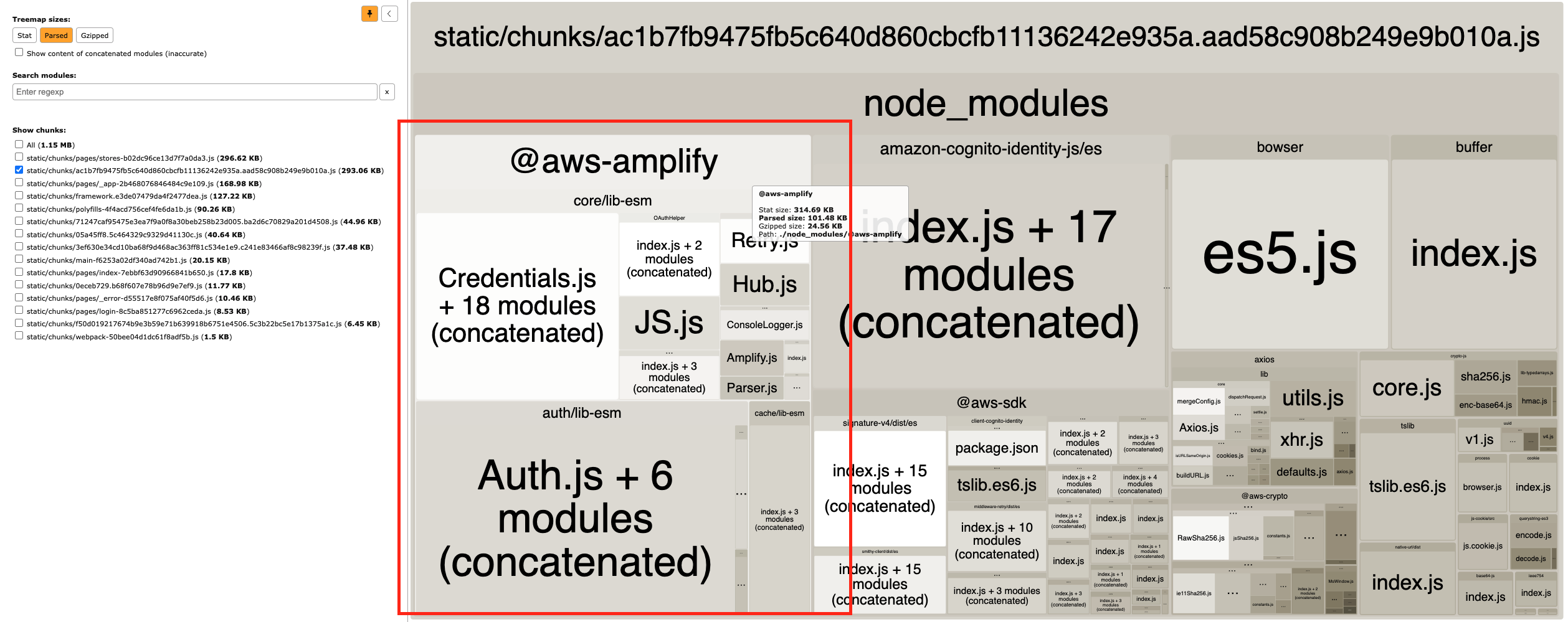
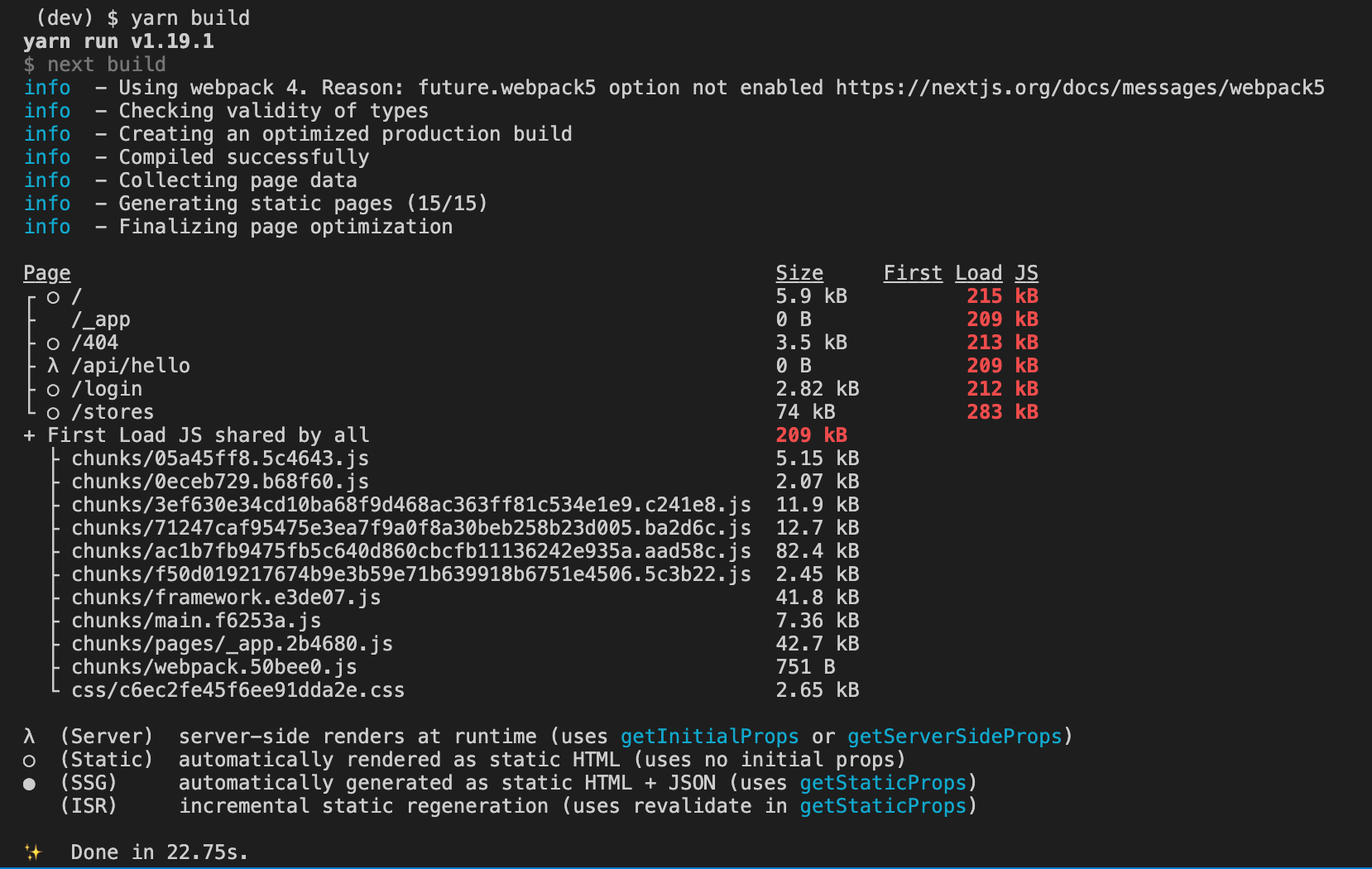
As you can see, the `First Load JS shared by all` is 209 kB.
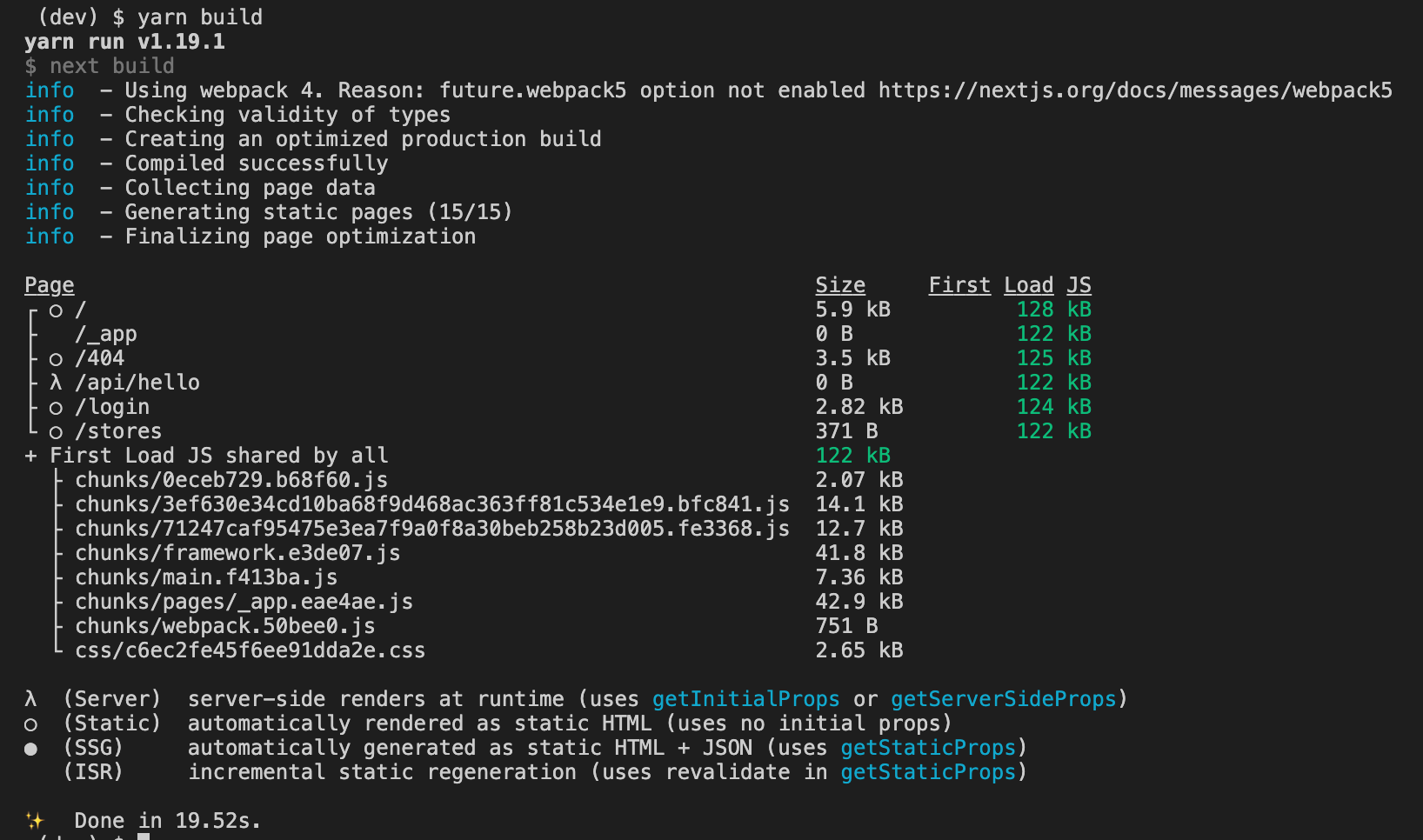
This is how I imported the Amplify module before optimization:
```
import Amplify from "aws-amplify";
```
This is how I now import only the required submodules:
```
import Amplify from "@aws-amplify/core";
```
It is always a good habit to analyze the bundle size after the build.
Then you can find unoptimized imports and libraries. Always try to import only the submodules your project needs.
You can use tools like "source-map-explorer" to analyze your bundle.
---
Site entrypoint for agents: [llms.txt](https://marcelocarmona.com/llms.txt) · [llms-full.txt](https://marcelocarmona.com/llms-full.txt) · [ai-index.json](https://marcelocarmona.com/ai-index.json) · [sitemap.xml](https://marcelocarmona.com/sitemap.xml)
Every HTML page on this site also serves this Markdown representation via
`Accept: text/markdown`, or by appending `.md` to the URL.